Home / Services / Website Maintenance
WordPress website maintenance with a clear support plan.
Website upkeep and support, with updates, backups, security checks and reporting scoped for your platform. We agree the responsibilities and routine before work begins.
Updates
Coverage and schedule agreed
Backups
Location, retention and checks agreed
Security
Controls and responsibilities reviewed
Reporting
Completed work and follow-up
Choose your support
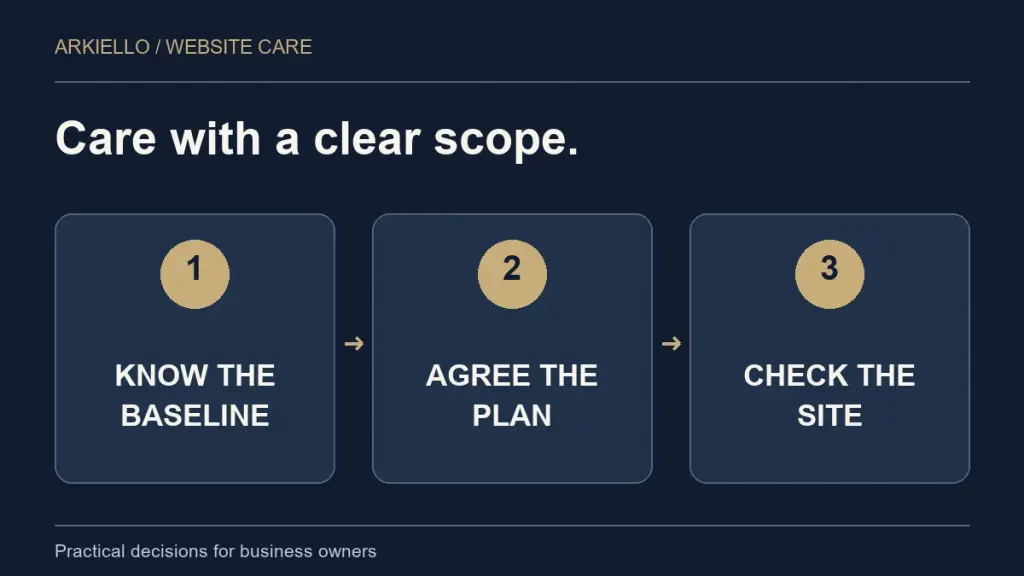
A care plan should make responsibility clear.
Start with the website you have, the jobs someone needs to own and the business functions that must keep working. We discuss those priorities before agreeing the scope.
A defined issue
A broken form, layout or integration may need a scoped investigation and repair. Agree the work and how completion will be tested. One-off work does not automatically include continuing care.
Recurring upkeep
Choose a maintenance plan when updates, backups and checks need an accountable owner. Confirm the routine, reporting, support hours and the work included in your agreement.
An existing incident
If the website shows suspicious content, redirects or a security warning, discuss the incident first. Initial cleanup and recovery may need a separate scope before routine care can begin.
For suspected compromise, see hacked website repair. For a wider change to the site, explore website redesign.
Before agreeing a plan
Know what is included, and who handles the rest.
A useful proposal turns broad labels into a routine your business can understand. The starting condition and requested work determine the actual scope.
Updates and checks
Confirm the software covered, review schedule, backup step and tests after a change. Identify important forms, pages and integrations before maintenance starts.
Backups and recovery
Agree which files and database are backed up, where copies are held and how recovery is checked. Discuss how much new activity the site can afford to lose between copies.
Human support
Set the contact route, support hours and response arrangements. Monitoring can run outside working hours without promising immediate human attendance or a fixed resolution time.
Hosting, licences and edits
Make hosting, paid software, content changes and additional repairs explicit. Identify what is already supplied by your host and what will be quoted separately.
Ownership and handover
Keep account ownership and renewal responsibilities clear. Agree what information is provided if support changes and remove unnecessary access after a completed handover.
Useful reporting
Know what was updated, what was checked, what needs a decision and who owns the follow-up. A maintenance report records completed work; it does not promise rankings or sales.
Our maintenance checklist explains the recurring tasks. Our quote comparison guide turns the scope into questions to ask a provider.
Already have support? Read the provider handover guide before ending services that the website still relies on.
Starting the conversation
Send the website, then agree the work.
For the first health check, send your website URL and the main concern. If you are comparing plans or changing suppliers, tell us what your current arrangement includes and any real renewal deadline. No passwords or customer records are needed in the initial enquiry.
We start with visible checks. If further investigation or work needs access, the permissions, secure sharing method and responsibilities are agreed separately. The health check is not a complete security audit or a promise that an underlying fault can be diagnosed from the outside.
Why maintenance matters
Websites don’t break all at once. They drift.
An unmaintained website rarely fails overnight. Small problems pile up quietly until one of them costs you customers.
Outdated software
Old plugins and themes are one of the most common ways attackers get into WordPress sites.
Backups nobody has tested
Many owners find out their backups don’t work on the day they need them.
Silent downtime
A site can be down for hours before anyone notices, and it’s usually a customer who does.
Slower pages
Images, plugins and scripts build up over time and make the site slower on phones.
Broken forms and tracking
An update can quietly stop enquiry forms or analytics from working.
Hidden SEO problems
A setting changed by mistake can hide pages from Google without any visible sign.
WordPress publishes its own security hardening guide. Our care plans follow the same principles.
What we do
A routine agreed for your website.
Your care scope identifies the tasks, tools, schedule and person responsible. The routine depends on your platform and the services included in the agreement.
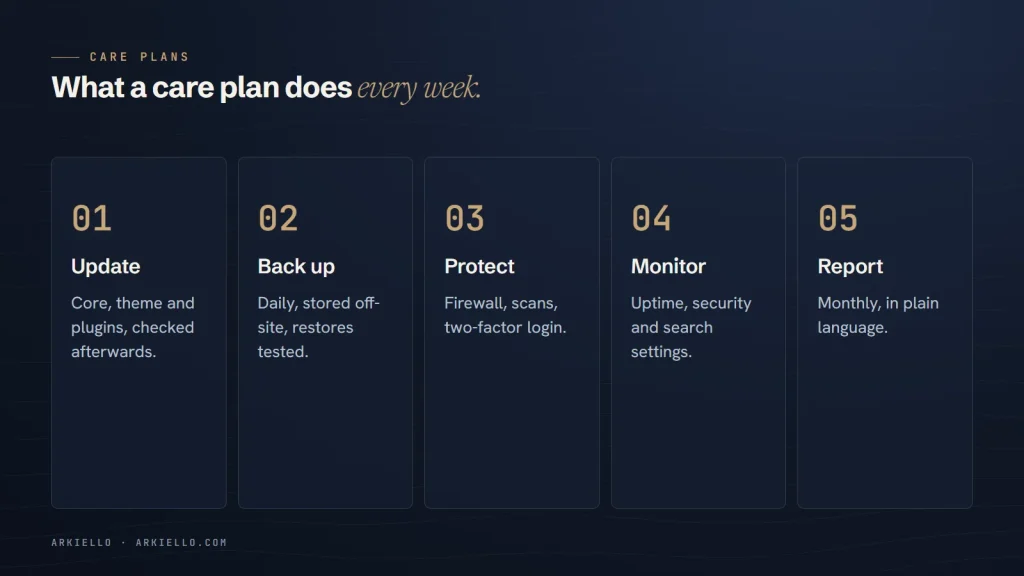
Update
Agree which software is covered, the review schedule, the backup step and the checks after a change. Security fixes need an appropriate priority and authorised access. See how to update WordPress safely.
Back up
Confirm the files and database included, backup frequency, storage location, retention and how recovery will be checked.
Protect
Review the security controls and account access suited to your platform. Agree who configures, checks and responds to them.
Monitor
Agree the monitoring or scheduled checks, alert route, coverage and follow-up responsibility. A check records what was observed at that time.
Report
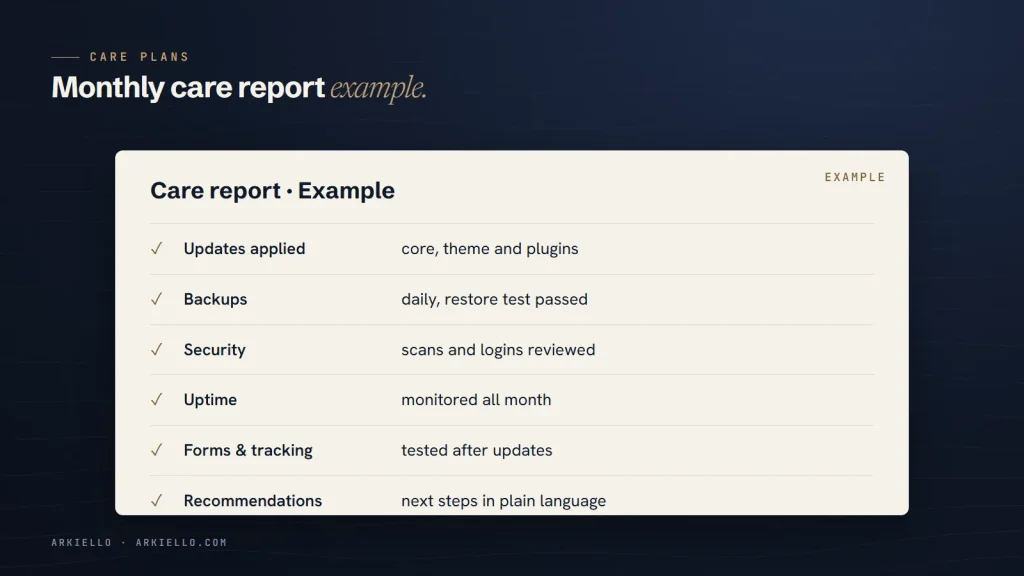
Agree the reporting schedule. Each report should explain completed work, observed checks, remaining issues and decisions. Our website maintenance checklist explains a recurring care routine.
Who it’s for
For owners who want it handled.
- Businesses without in-house web staff who want one accountable partner.
- Sites that bring in business every day where downtime costs money.
- WordPress, Divi, Elementor and Breakdance sites whether we built them or someone else did.
- Owners tired of reminders and a list of logins nobody keeps up to date.
Agree the scope
What to agree in your care plan.
Updates and testing
Confirm the software covered, review schedule, backup step and tests after a change.
Backups and recovery
Confirm backup frequency, storage location, retention, access and the agreed recovery checks.
Security controls
Agree the appropriate controls, permissions, review routine and responsibility for follow-up.
Monitoring and alerts
Identify the monitoring service or scheduled checks, coverage, alert contact and response arrangements.
SEO checks
Agree the indexability and sitemap checks, Search Console access and the person responsible for reviewing issues.
Forms and tracking
Identify the forms, analytics and integrations covered. Agree authorised test submissions and how receipt is confirmed.
Initial site review
Agree the starting-condition review and any additional investigation or repairs needed before recurring care begins.
Reporting
Confirm report frequency and how completed work, observations, unresolved issues and decisions are recorded.
Something wrong right now?
Hacked or down? Start here.
- Hacked website repair we clean the site, close the entry point and request removal of Google’s warning. Get urgent help.
- Not sure what to do first? Read what to do in the first 24 hours after a hack.
Our promises
What we commit to, and what we won’t do.
We commit to
- A written scope before work starts
- Clear responsibility for updates and backups
- An agreed reporting schedule
- Agreed support and response arrangements
- Your domain, hosting and website stay in your name
We won’t
- Promise your site can’t be hacked (nobody honestly can)
- Promise 100% uptime
- Make changes without telling you
Free website health check
Find the problems before they find you.
- We look at your website from the outside: visible software, security basics, speed and SEO settings.
- You get a short written note with the most urgent fixes first.
- Reply within two business days. No logins needed, no obligation.
Questions
Website maintenance FAQ.
What does website maintenance include?
A care plan can cover software updates, backups and recovery checks, security controls, monitoring, forms, tracking and search settings. Your written agreement confirms the tasks, frequency, tools, reporting and exclusions for your website.
How often should a website be updated?
Check for updates at least weekly. Security fixes should be applied as soon as possible after they are released, with a backup taken first and the site checked afterwards.
Which platforms do you maintain?
Mainly WordPress, including sites built with Divi, Elementor and Breakdance, whether we built them or someone else did. Ask us about other platforms.
Can you guarantee my site will never be hacked?
No, and nobody honestly can. Maintenance can reduce risk. Recovery depends on suitable backups, the records included, access to the required systems and a recovery process that has been checked.
What happens if my site is hacked or goes down?
Contact us with the website address and what you can see. We assess the incident and agree the required access, investigation and recovery work. Your care agreement states whether existing incidents, cleanup and additional repairs are included or quoted separately.
Do I keep ownership of my website and accounts?
Yes. Your domain, hosting and website stay in your name. We work through our own user accounts, so access can be removed at any time.
Can I cancel?
Yes. The notice period and terms are set out clearly in your care plan agreement before you sign.
What is the free website health check?
Send us your website address. We look at it from the outside, checking visible software, security basics, speed and SEO settings, and reply within two business days with a short written note on the most urgent fixes. No logins needed, and no obligation.
Further reading
Guides from the website care series.
Website recovery
Questions for a repair conversation.
For an assessed repair scope, see our hacked website repair and recovery service. These guides help you prepare the relevant questions.
For venue owners
Choose the next step for your website.
ARKIELLO is based in Tagaytay City and works with local and international businesses. Start with the stage your venue has reached.