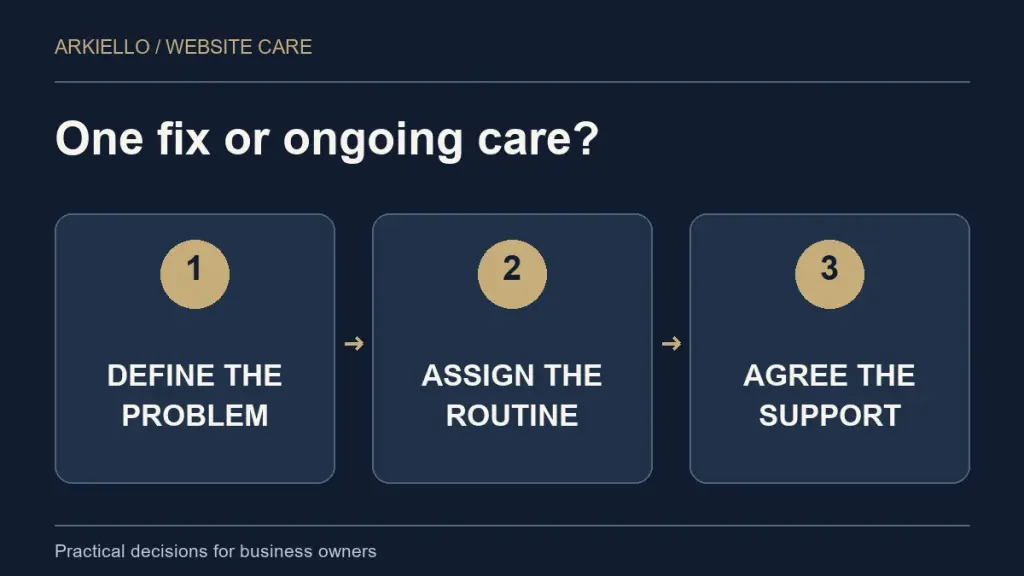
A WordPress maintenance plan makes sense when someone needs to own the recurring work: updates, backups, checks and follow-up. One-off support makes sense when you have a defined problem and a clear way to confirm it is fixed. The decision depends on what happens after the immediate task is complete.
If you are deciding what to buy, start with the responsibilities on your website. Our WordPress website maintenance and support guide explains the ongoing care scope and offers a first website health check.
Start with the problem you need solved
Write the problem as an observable result. “The contact form does not reach our inbox” is a useful starting point. “The website needs maintenance” leaves the supplier guessing about the work and its boundaries.
A one-off task can have a clear finish: investigate the form, agree the repair, test an authorised enquiry and confirm receipt. Continuing care answers a different question: who checks the form after future updates, and who responds when a check fails?
If the site is currently redirecting visitors, showing suspicious content or displaying a security warning, begin with an assessment of the incident. Our hacked website repair service is the relevant route for suspected compromise. Do not assume a new care subscription includes an existing cleanup.
When one-off WordPress support can fit
A defined repair or small change may suit one-off support when you can state the task, provide the required access securely and agree how the result will be checked. Examples include investigating a broken page layout or correcting one integration after its cause has been identified.
Before approving the work, ask what is included in diagnosis, implementation and testing. Agree who will provide any third-party support or paid licence needed for the fix. A task involving a booking platform may depend on that platform’s own account and support arrangements.
One-off support does not automatically assign responsibility for future updates, backups or monitoring. Decide who will do those jobs after the supplier hands the repair back to you.
When an ongoing maintenance plan can fit
Consider continuing care when the website supports enquiries, changes regularly or relies on plugins your team does not have time to check. A plan can give the recurring work a named owner and a reporting routine.
Look for an explicit scope covering the software checked, backup arrangements, post-update testing and what happens when a problem is found. Our website maintenance checklist helps turn those broad labels into tasks you can discuss.
Monitoring and human support are separate questions. An automated alert can detect a problem outside office hours without promising that a person will start work immediately. Ask for the actual support hours and agreed response arrangements.
A simple decision test
- One defined issue, with someone already responsible for ongoing care: discuss a scoped one-off task.
- Recurring checks are missed or nobody owns them: discuss an ongoing plan and a documented baseline review.
- An existing fault plus a need for continuing care: separate the initial repair from the maintenance proposal.
- A website that no longer fits the business: discuss whether website redesign is needed before adding a care plan.
For example, imagine a service business whose form stopped working. Fixing that delivery issue is one task. Keeping the site updated and checking the enquiry route afterwards is a continuing responsibility. The business may need both, but the proposal should describe them separately.
Compare the total responsibility, not just the monthly fee
List what your team, host and maintenance supplier each handle. Check for gaps and duplicate services. Hosting may already include some backups or software management; confirm the details before paying for overlapping work or assuming everything is covered.
Ask how additional fixes are quoted, whether content edits are included, who owns paid licences and what you receive if the arrangement ends. Our WordPress maintenance quote guide provides a practical comparison list.
WordPress advises keeping backups of both files and the database. Its backup guidance is a useful reference when checking what a supplier means by a complete backup.
What should you send before asking for help?
Send your website URL, the problem you can observe, when it began and the business function affected. Say who currently handles hosting, updates and backups, even if the answer is “we are not sure.” Include any real deadline without sending passwords through the enquiry form.
If you already have a supplier, our maintenance provider handover guide explains what to establish before ending the current arrangement.
Choose the scope with the website in view
Start with a free website health check. We can discuss whether the next step is a defined repair, ongoing care or a wider website project before agreeing the work.