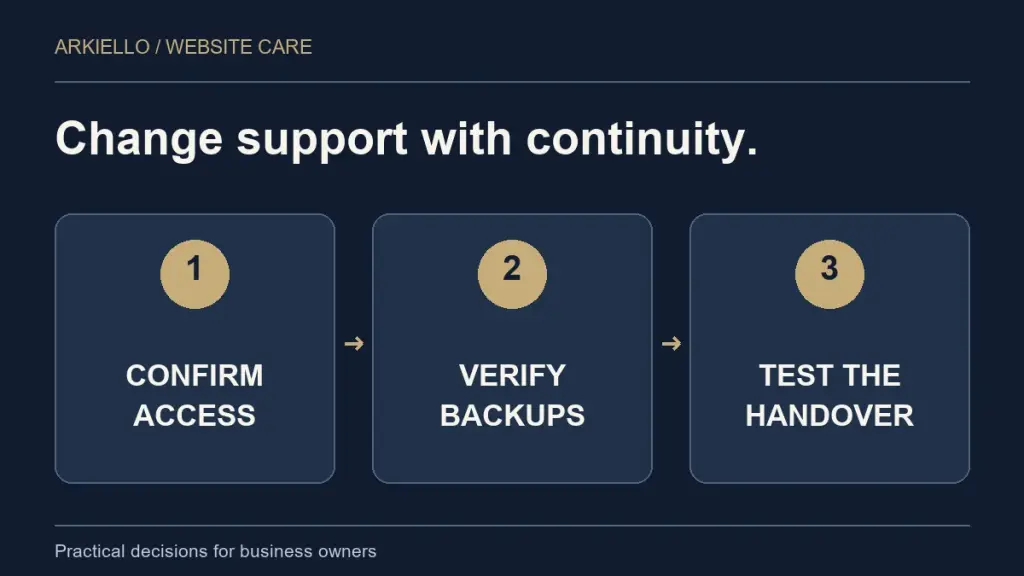
Changing your WordPress maintenance provider should begin with an inventory of what the current arrangement controls. Establish account ownership, backups, licences and the handover sequence before ending a service your website still depends on.
You may be changing support without moving the hosting, or changing both at once. Make that distinction early. Our WordPress website maintenance guide explains the ongoing care responsibilities to discuss with a new supplier.
Find out what is actually changing
List the services supplied today: WordPress upkeep, hosting, domain management, backups, security tools, email, paid plugins and content changes. Mark which services you intend to retain and which will move.
A new maintenance provider does not necessarily require a hosting migration. Equally, ending a bundled arrangement may affect more than support. Check the written terms and clarify the responsibilities with the providers before selecting a handover date.
If the website needs a defined repair before continuing care, separate that work from onboarding. Our guide to one-off support versus an ongoing plan can help you describe the starting need.
Confirm the accounts your business controls
Record the account owner and recovery contact for the domain registrar, hosting, DNS, WordPress and relevant external services. Check that an authorised person in your business can obtain access and recover an account when needed.
Use named accounts for the people doing the work and agree suitable permissions. WordPress provides different roles and capabilities; the appropriate access depends on the task. Share required credentials through an agreed secure method, rather than a public form or a shared document anyone can open.
Keep the inventory useful without copying secrets into it. Service name, account owner, authorised contact and renewal responsibility are often enough for the planning document.
Establish a backup and a recovery route
Agree who will take and retain a current backup before handover changes begin. Check what the backup includes, where it is held and who can restore it. WordPress explains that a typical full recovery needs both files and the database in its backup documentation.
Where practical, verify recovery in an appropriate test environment. If the website receives orders, bookings or other new records during the change, agree how that activity will be handled. A backup from yesterday may not contain today’s transactions.
Do not treat a successful download as proof that the whole website can be restored. The incoming provider needs enough information to understand the recovery process and its limits.
Check licences, custom work and integrations
Identify premium themes and plugins that use an agency-owned licence. Ask whether the licence transfers, needs replacing or ends with the old arrangement. Confirm the position with the actual provider or licence terms rather than assuming paid access follows the website automatically.
Document custom code, scheduled tasks and external integrations that matter to the business. Include who supports them and any available technical notes. A booking system, email service or payment provider may have its own account and authorisation process.
For a shop or other business-critical integration, agree a specialist handover scope. The requirements may extend beyond a standard brochure-site care plan.
Agree the sequence before switching anything off
Use a short handover plan with named responsibilities:
- Confirm the services changing, authorised access and the proposed date.
- Review the current website condition and document known issues.
- Agree the backup, recovery and any migration arrangements.
- Complete the authorised transfer or support changes and test key functions.
- Confirm the new responsibility for monitoring, backups, updates and enquiries.
- Remove access that is no longer needed once continuity and ownership are confirmed.
Avoid changing several unrelated systems at once unless the plan requires it. Keeping domain, DNS, email and hosting decisions explicit makes a problem easier to trace if something does not work as expected.
Test the business journey after handover
Check the public website, key service pages and mobile navigation. Arrange an authorised form test and confirm that the message reaches the intended inbox. Review any booking, shopping or member functions included in the agreed scope.
Confirm that the new backup routine runs and that the maintenance contact knows about unresolved issues. Record the result and the person responsible for each follow-up. The website maintenance checklist is a useful starting point for the recurring routine.
What to send a prospective maintenance provider
Send your website URL, the reason for the change, the services currently bundled together and any real renewal or notice deadline. Explain which accounts the business controls and where ownership is unclear, without sending passwords in the first enquiry.
Use our maintenance quote comparison guide to agree the ongoing scope as well as the handover. The first month should not depend on two suppliers assuming the other one is still responsible.
Plan the handover before ending support
Start with a free website health check, or tell us about your existing maintenance arrangement. We can discuss the website’s condition, the proposed change and the work to scope before a handover date is agreed.