A website is not a print brochure. It runs on software that changes every week, on a server that can fail, and on settings that can be changed by mistake. Most website emergencies start as small problems that nobody had time to check.
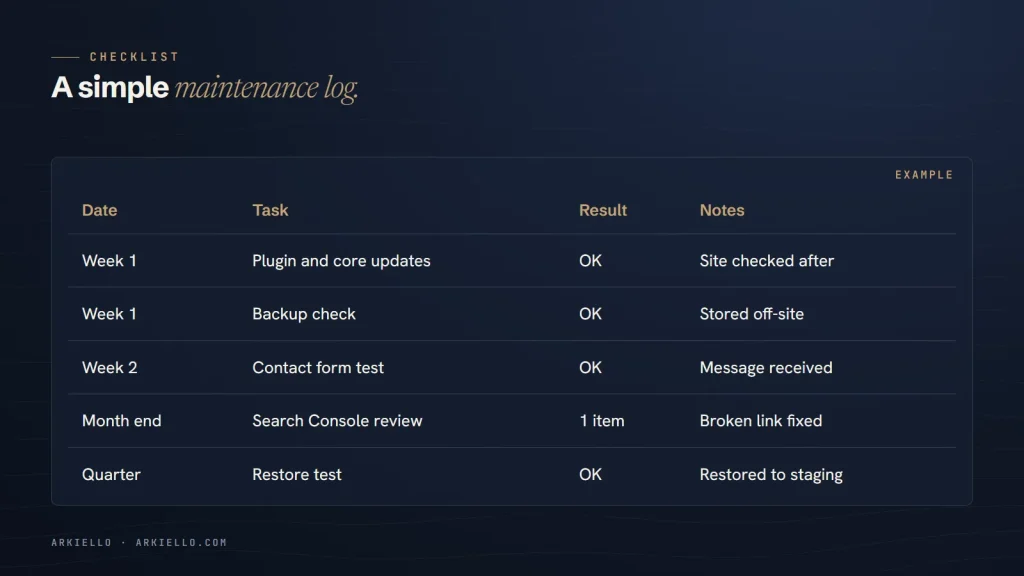
This is the routine we follow on our website care plans, written so you can run it yourself. It’s grouped by how often each task needs doing. Keep a simple log as you go: date, what you did, anything unusual.
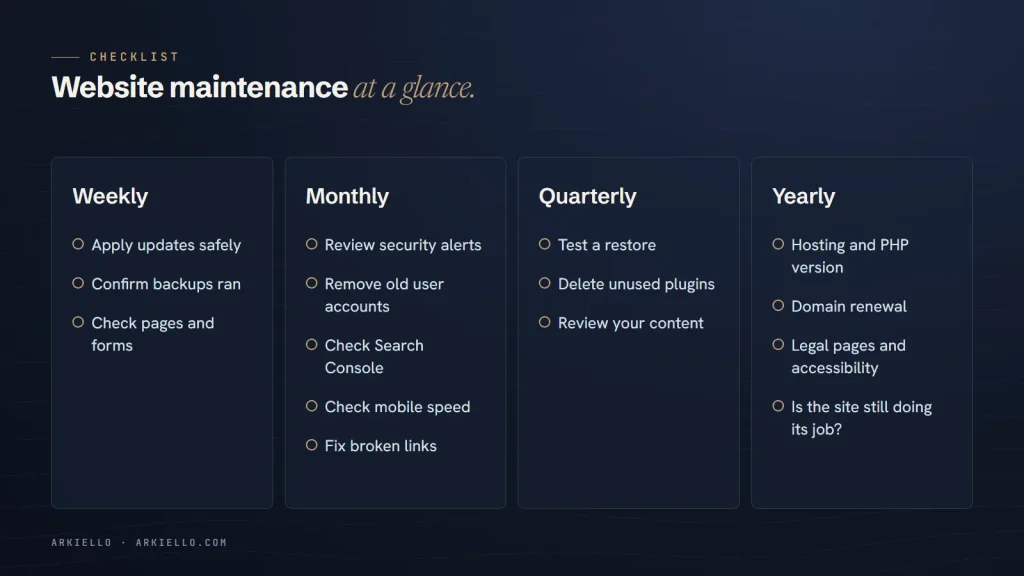
Every week
Check for updates and apply them safely
WordPress core, your theme and your plugins all release updates, many of them security fixes. Check at least once a week, take a backup first, update, then check the site. Our guide on how to update WordPress safely covers the order and what to watch for.
Confirm last night’s backup ran
Don’t assume backups are working. Open your backup tool or hosting dashboard and confirm a recent backup exists, that it includes both files and the database, and that a copy is stored away from your web server.
Check the site and your forms
Visit your homepage and your most important pages on a phone. Submit your main contact form and confirm the message arrives. A form that silently stopped working can cost you weeks of enquiries before anyone notices.
Every month
Review security alerts and user accounts
Read the alerts from your security plugin or host. Then look at the list of user accounts: remove anyone who no longer needs access, and make sure every administrator uses a strong, unique password and two-factor login.
Check Google Search Console
Look at the Pages report for new indexing problems, the Security issues report for warnings, and the Performance report for sudden drops. A sharp fall in clicks is often the first sign that something technical has gone wrong.
Check speed on mobile
Run your homepage and one key service page through PageSpeed Insights. You’re looking for change: if a page that used to load quickly has slowed down, find out what was added since last month.
Look for broken links
Broken links frustrate visitors and waste the attention of search engines. A crawler or a broken-link checker will find them; fix or redirect each one.
Every quarter
Test a restore
A backup is only useful if you can restore it. Once a quarter, restore a recent backup to a staging site or a test location and check that the site works. This is the step most often skipped, and the one that matters most on a bad day.
Remove plugins and themes you don’t use
Every inactive plugin or theme is code that can still contain vulnerabilities. If you’re not using it, delete it rather than just deactivating it.
Review your content
Check prices, opening hours, team members, service lists and contact details. Outdated information loses customers and confuses search engines.
Every year
Review hosting and PHP version
Check that your hosting plan still fits your traffic, and that your server runs a PHP version WordPress supports. WordPress lists its current hosting requirements.
Check domain and certificate renewals
Confirm your domain is set to renew automatically, with a payment method that won’t expire, and that your contact details with the registrar are current. Most hosts renew security certificates automatically, but it’s worth confirming.
Review legal pages and accessibility
Read your privacy policy and terms again, especially if you added new forms, tools or tracking during the year. Run a quick accessibility check: keyboard navigation, image descriptions and colour contrast.
Step back and look at the whole site
Once a year, ask the bigger question: is this site still doing its job? If it’s slow, hard to update or no longer matches your business, read 7 signs it’s time to redesign your website.
Keep a log
A short log turns maintenance from a vague worry into a routine. Record the date, what you updated, any problems you found and how you fixed them. If something does go wrong, the log is the first place you or your developer will look.
Rather not do this yourself?
Our website care plans cover every item on this list and report on it monthly. Start with a free website health check.