Home / Services / Website redesign / Squarespace to WordPress
Squarespace to WordPress migration services.
Move to a WordPress website built around the way your business works. We assess your Squarespace site, agree what needs rebuilding and plan the checks before switching the live website.
For
Businesses considering a move from Squarespace
Approach
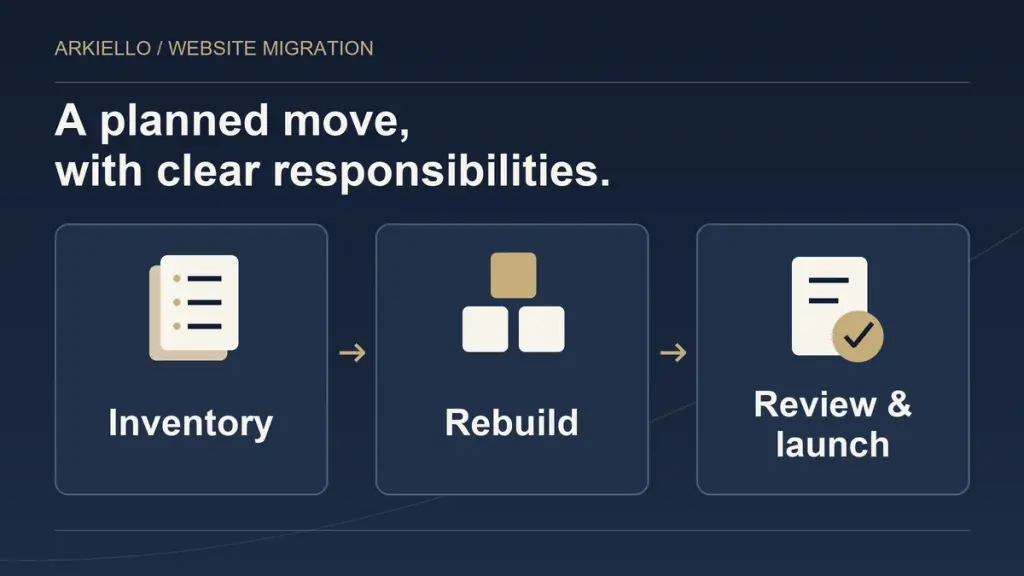
Inventory, rebuild, review and launch
Starting point
Your website and the limitation to solve
A move with a purpose
Solve the limitation. Keep the useful work.
A migration is worth considering when your website structure, editing needs or required features no longer fit the business.
You may need different portfolio browsing, more control over service pages, a clearer enquiry journey or an editing setup your team can maintain. Start with that requirement. We assess what WordPress would need to provide and which parts of the current site should remain useful.
A focused improvement can be enough when Squarespace still meets your needs. Our migration planning guide helps with the earlier decision. For a broader refresh on another platform, explore website redesign. This service focuses on scoping and carrying out a Squarespace to WordPress move.
Relevant project
Shuttersteve: Squarespace to WordPress, in client review.
The photography and film project shows how an existing portfolio can inform a custom WordPress rebuild, including galleries, film content, existing URLs and technical search foundations.
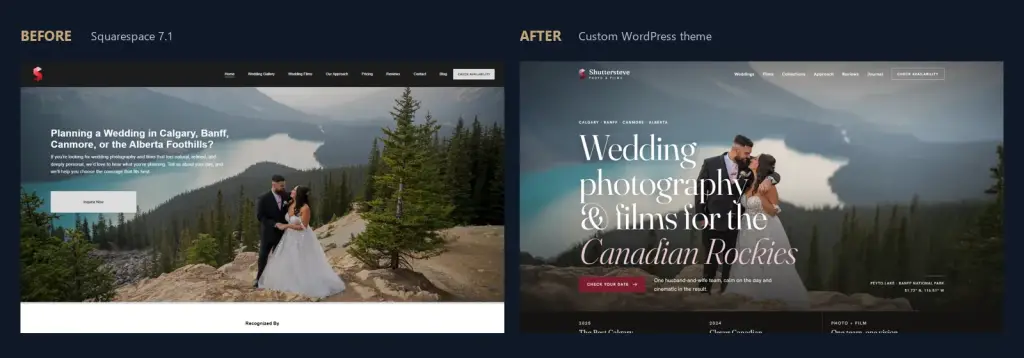
The project is a useful example of migration scope and the review process. The preview stage does not establish a completed launch on the client domain, production enquiry delivery or ranking improvements. Explore the case to see the work being reviewed and the project context.
Agree the deliverables
Know what moves. Know what gets rebuilt.
The proposal records the pages, features, responsibilities and review criteria for your actual website. A page count alone cannot describe the migration.
Content and URL inventory
Identify the public pages, posts, media and useful existing addresses. Agree what stays, changes or is retired, and who supplies missing content or original files.
WordPress structure and layouts
Define navigation, service pages, portfolios and reusable layouts. Agree whether the project retains the current presentation, improves selected areas or introduces a new design.
Content and media transfer
Import supported content where appropriate, rebuild agreed items and review images, links and formatting. Confirm that essential assets are available independently of the old site.
Existing URLs and search settings
Retain useful addresses where appropriate, map changed URLs to relevant destinations, and check titles, descriptions, canonicals, sitemap inclusion and indexing controls.
Enquiries and business tools
Define forms, receiving inboxes and confirmations. Commerce, memberships, scheduling, client galleries and third-party connections need their own assessment and an explicit scope.
Launch and handover
Agree the website connection, review stages, authorised delivery tests and acceptance. Record editing access, account ownership, hosting and continuing care responsibilities.
The practical questions
Plan the parts that an export cannot settle.
Will every page and feature transfer?
Squarespace provides an export for certain content, with exclusions and import limitations. Its export documentation is a starting reference; your actual pages, media and tools still need assessment. The design and required functions should be agreed as rebuild work where necessary. Read what transfers and what needs rebuilding.
Can the domain and email stay?
Website hosting, domain registration, DNS and email are separate responsibilities. The plan identifies the providers and authorised account holders before proposing changes. A move does not automatically require a new website address or email provider. Our domain and email guide explains what to clarify.
What happens to existing search traffic?
We plan useful URLs, relevant redirects and technical checks to support the move. Search performance can change during a migration; Google explains this in its site-move guidance. Existing rankings and future clicks cannot be guaranteed. See our redirect mapping guide for the address-planning work.
Who looks after WordPress afterward?
Agree who manages hosting, software updates, backups, paid tools, content changes and technical support. The business needs a usable handover and a clear route for help. Read hosting and maintenance after Squarespace before comparing ongoing arrangements.
Scope before price
A useful proposal starts with the work involved.
The number and condition of pages, galleries, posts and assets affect the workload. So do new layouts, copy changes, integrations, existing URLs, editing requirements and the proposed hosting setup. We review those requirements before preparing a proposal.
Your team identifies the business priority, approves public information and supplies authorised access when the project needs it. The proposal should distinguish included work, separately assessed features, client responsibilities and continuing subscriptions. A real deadline helps plan the sequence; a launch date depends on the agreed scope, dependencies and approvals.
1. Assess the current site
Discuss the reason for moving, current content, tools and existing account arrangements. Identify what should remain and what needs changing.
2. Agree the migration scope
Define deliverables, transfer and rebuild work, URLs, responsibilities, review stages and acceptance criteria before starting the build.
3. Build and review the replacement
Review content, responsive layouts, links, media, routine editing and the intended enquiry journey in the working preview.
4. Approve the launch and handover
Resolve the agreed checks, coordinate the website connection and authorised enquiry tests, then confirm access, ownership and support arrangements.
Questions
Before you commission the move.
Will the entire Squarespace website transfer automatically?
No. Squarespace exports certain content, and the import has limitations. We assess the actual pages, media, layouts and tools, then define what can be imported and what needs rebuilding or separate work. The agreed scope describes the replacement website.
Can we keep our current domain and email?
Often, yes. Website hosting, domain registration, DNS and email are separate services. We identify the current providers and account holders, then agree what changes and who handles it. A website move does not automatically require a new domain or email provider.
Can you migrate a store, membership or booking system?
Those requirements need a separate assessment of the platform, data, accounts, payments and testing. We discuss what can remain, what can connect and what would need a replacement before including it. A general website migration does not automatically include every business tool.
What happens to our existing URLs and rankings?
We inventory useful URLs, plan relevant redirects where addresses change and check the agreed search settings. Search performance can change during a move. We can verify the migration work and review available reporting, but we cannot guarantee retained rankings, traffic or future positions.
Who will maintain the WordPress website after launch?
We agree the responsibilities for hosting, updates, backups, paid tools, content changes and support before handover. Continuing care is defined separately from the build so your team understands what is included, what renews and who holds the relevant accounts.
What do you need to prepare a migration proposal?
Send the current website URL, the limitation you want to solve, important pages and tools, any real deadline and who will update the replacement. We can assess the work and identify further information needed. Keep passwords, customer records and recovery codes out of the first enquiry.
Tell us what needs to change
Discuss your Squarespace migration.
Send your current website URL, the limitation you want to solve, important content and tools, and any real deadline. Tell us who will update the new site. We can assess the move and prepare a scope around those requirements.
Migration guides