In many cases, yes. Moving your website to WordPress does not automatically mean changing the domain people know or replacing your business email address. The important question is which services you use, where they are managed and what the move will change.
Before agreeing to a migration, ask for a plan covering the website, domain and email separately. Our Squarespace to WordPress migration service starts with that assessment rather than treating everything as one transfer.
Separate the four services first
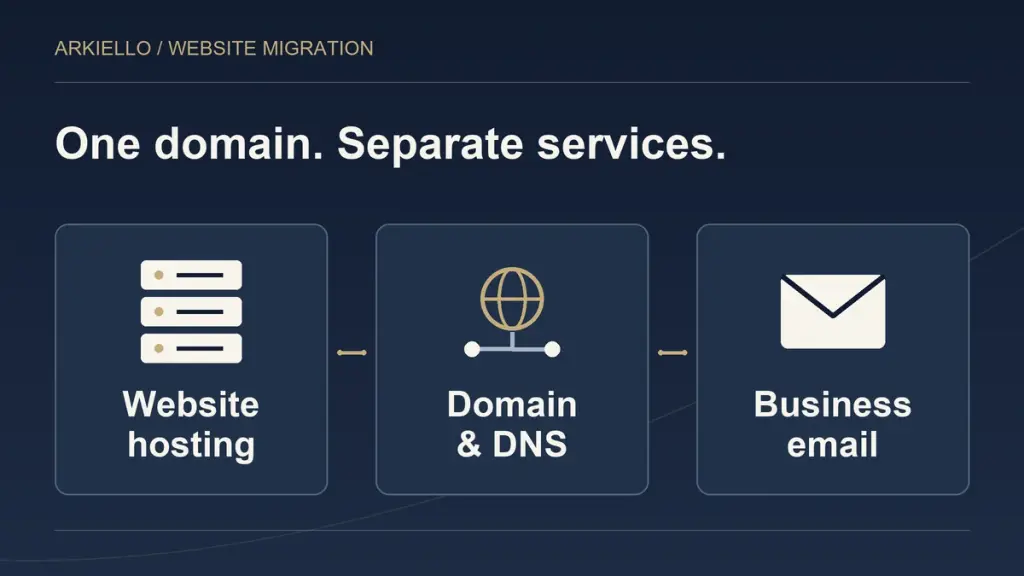
One account can make several services feel like a single product. For planning purposes, identify four separate responsibilities:
- Website hosting: where the website runs. The WordPress build needs an agreed hosting arrangement.
- Domain registration: who manages the registration, renewal and ownership of your website name.
- DNS: the settings that connect that name to your website, email and other services. Establish who manages them.
- Email hosting: the provider storing your mailboxes and handling email delivery. Record who manages its subscription and administrator access.
The same company may handle several of these, or different providers may be involved. Check the actual accounts instead of assuming that a familiar login controls everything.
This distinction also helps you compare proposals. “Domain migration included” is unclear if it does not say whether the work covers registration, website connection, email coordination or all three.
Keeping your domain is different from transferring its registration
You may be able to keep your domain registered through Squarespace while connecting it to the new website. Squarespace documents this option in its guidance on pointing a domain to another provider.
A registration transfer is a separate decision about where you manage the domain. It is not the same as rebuilding the website. Squarespace also explains that transferring a domain does not transfer website hosting.
Ask your provider to explain the proposed arrangement, who will manage it and why it suits your business. A familiar domain can remain part of the plan even when the website platform changes.
Treat business email as its own workstream
Your email address, stored messages, users, aliases and billing need an explicit decision. Keeping the existing email provider may be appropriate; changing providers would require a separate assessment of what needs moving.
If you use Google Workspace through Squarespace, its domain-transfer guidance specifically addresses email settings and subscription management. Read the relevant account guidance with the person responsible for your email. A website developer should coordinate with that person rather than assume the website move includes mailbox administration.
The practical question is simple: after the website changes, who remains responsible for keeping your existing email service working?
Agree responsibilities before anyone changes settings
Prepare a short record that the business owner and providers can check together:
- The domain, registrar and person authorized to approve changes.
- The current DNS manager and services using the domain.
- The email provider, subscription manager and mailbox administrator.
- Important addresses, aliases and website form destinations.
- The new website host and person responsible for connecting it.
- The agreed change window, checks and contact if something fails.
Keep passwords and recovery codes out of general project briefs. Arrange appropriate account access separately. Your team should retain control of business accounts and know who can approve a change.
For the wider project inventory, use our Squarespace to WordPress migration planning guide.
Check the website and email separately at launch
A working homepage does not prove that email or website enquiries work. Agree acceptance checks before launch, then arrange authorized tests with the people responsible.
Check that the intended website opens securely at the agreed domain and that important pages and forms work on a phone. Check business email sending and receiving with an outside address. Confirm that a website enquiry reaches the agreed destination and that replies use the intended address.
Record any unresolved problem, its owner and the next action. Ask what the team will do if a check fails. Provider dependencies and settings changes mean nobody should promise that every migration will have zero interruption.
Ask for a complete migration scope
Domain and email coordination is only part of the move. Our guide to what transfers from Squarespace and what needs rebuilding helps you check the content scope. The guide to hosting and maintenance after Squarespace explains the responsibilities that continue after launch.
Bring your current website URL, main reason for moving and the names of the providers you already use. You do not need to choose a registrar or email replacement first. Discuss your Squarespace migration with ARKIELLO, and we can assess what should change, what can stay and what needs specialist coordination.