
A booking project does not always need a new application. It may need an existing tool configured properly, a clearer route from your website, or a custom workflow for rules the available tools do not handle well.
The useful comparison starts with how your business operates. Our booking system setup and development service separates those decisions so you can commission the work that is needed.
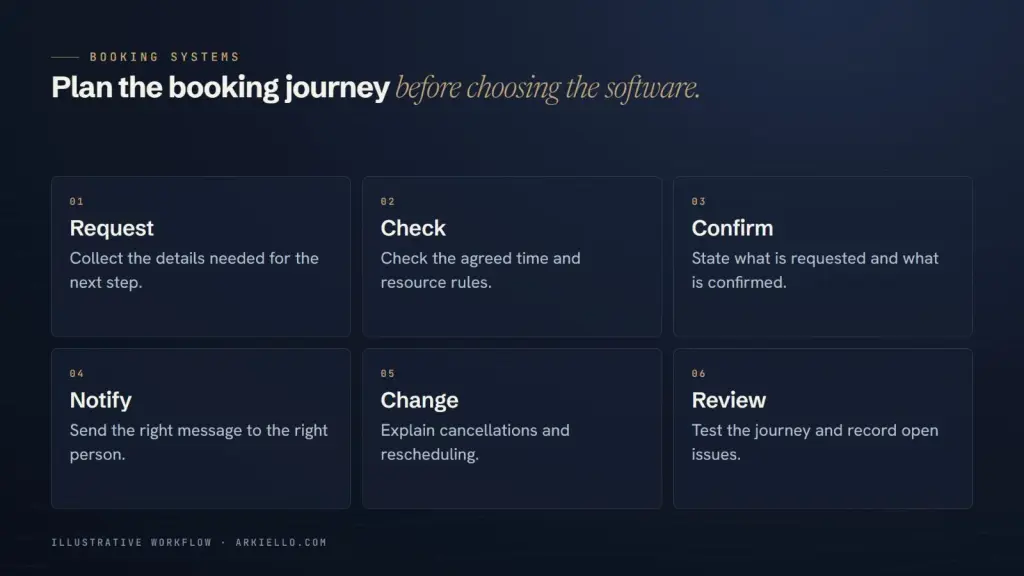
Describe one booking from start to finish
Write down what the customer chooses, what your team checks and when the appointment becomes confirmed. Name the person, room, equipment or other resource that must be available.
Include changes: a cancellation, a rescheduled appointment, an unavailable team member and a payment that does not complete. Avoid a feature list that says only calendar, reminders and payments. Two products can advertise those features and still treat your practical situation differently.
If you have not settled whether customers can book immediately, begin with the choice between an enquiry form and a booking calendar.
First compare an existing tool against your essential rules
An established service can be a sensible choice when its scheduling model matches your offer. Ask the supplier to demonstrate your booking, not just a polished sample account.
Check the real calendar arrangement. Calendly’s connection guide distinguishes calendars checked for conflicts from the calendar where bookings are added. That is a reason to verify configuration and account access, rather than assuming a calendar connection covers everything.
Record each requirement as supported, needing a workaround or not yet demonstrated. Separate essential rules from preferences. A different button colour rarely deserves the same weight as allocating the right staff member.
Your website can improve the experience around the tool
A visitor needs to understand the service before a calendar is useful. The website can explain who the appointment is for, what to prepare and what booking means, then lead to the appropriate event type.
An integration can be a link, an embedded scheduler or a more involved connection. Calendly documents inline and pop-up embed options; the suitable approach still depends on your website and the experience you need to test.
Ask to review the complete mobile journey, including a fallback contact route if the scheduling interface cannot be used. A page designed around a provider’s tool is different from replacing that provider’s booking engine.
Identify the gap before commissioning a custom workflow
Consider a hypothetical rental business that needs a particular item, preparation time and a delivery team for the same booking. An ordinary appointment slot may not represent that combination. The business should first demonstrate how a candidate tool handles it, then decide whether a custom workflow is justified.
Write the unmet rule in plain language, the consequence of a workaround and the smallest proposed solution. One missing integration may need a limited connection rather than a complete replacement system. A heavily customised interface may still rely on another provider behind the scenes.
Compare the work after launch
An existing tool still needs an owner for account settings, calendar connections and staff changes. A custom workflow also needs an agreement covering hosting, updates, monitoring and fixes.
Compare the total responsibilities:
- Provider subscriptions, account ownership and relevant usage limits.
- Website setup, integrations and any custom components.
- Approval and testing of changes to services or availability.
- Support responsibilities when two providers are involved.
- Available exports and the practical handover if you change supplier.
Ask for recurring costs to be identified in the proposal without assuming a quoted setup fee includes them. Our website handover guide explains the account and access decisions that also matter here.
A related website example
The Shuttersteve redesign case includes a Pay Online page and demo checkout in a client-review preview. It illustrates planning a website step around a payment provider. It is not evidence of a live scheduling system, automatic date allocation or booking growth.
For your own proposal, ask for a demonstration of your critical rules and an explanation of anything that remains manual. Use the booking system proposal checklist to agree what will be delivered and checked.
Choose a practical booking setup
Send ARKIELLO your website, current tools and the booking rule that is hardest to manage. We can discuss whether configuration, website integration or a custom workflow is the appropriate starting point.