A booking proposal should let you picture what customers and staff will do when the work is finished. A list of features is a starting point. You also need the rules, responsibilities and checks that make those features useful to your business.
Use this checklist when commissioning booking system setup or development. Compare suppliers against the same journey so a short quote and a detailed one are not mistaken for equivalent work.
Name the booking you are buying
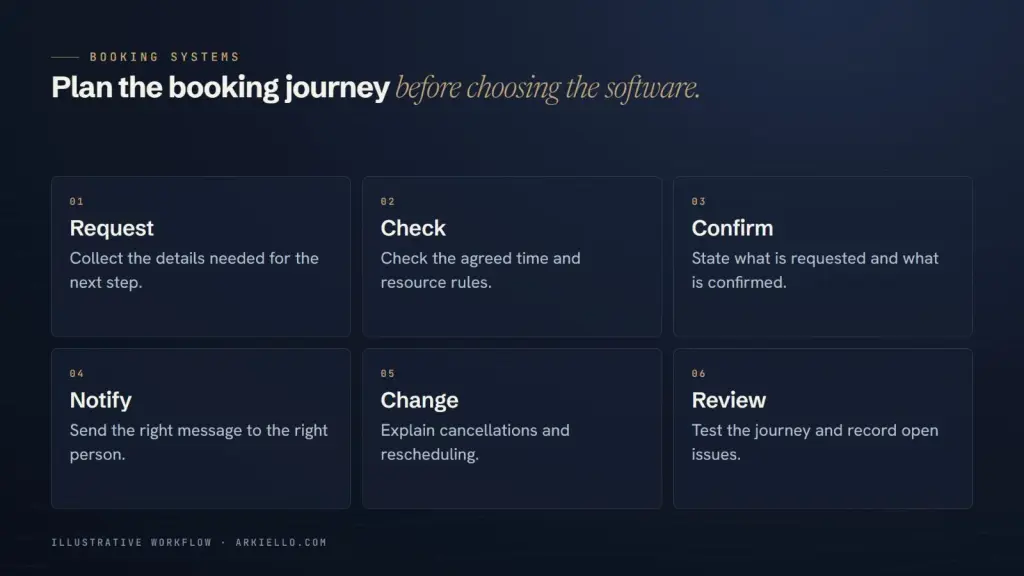
Record the service, duration, location, available resources and customer information needed. State whether the visitor sends an enquiry, requests approval or receives immediate confirmation.
Add the situations that change the answer: a staff absence, preparation time, a group booking or a customer changing plans. Our enquiry form versus booking calendar guide helps settle the confirmation model before it becomes a design assumption.
Make the proposed solution visible
Ask which parts use a provider’s service, a WordPress component, custom code or manual team work. Identify where the booking record lives and which system your team treats as authoritative.
The proposal should name what is included in setup and website integration, along with any unresolved requirement. It should also identify provider subscriptions, external accounts and work that needs a separate agreement. See how to compare a booking tool with a custom workflow before paying for a larger build.
Turn the important rules into acceptance checks
Agree the test, expected result and reviewer before development. These are proposed checks to tailor with your supplier, not claims about a system ARKIELLO has already delivered:
- Available time: a permitted appointment can be selected and the expected record is created.
- Conflict: a time blocked by the agreed calendar or resource rule is handled as specified.
- Time zone: a customer in a different zone can understand the appointment time, with the intended zone shown in the messages.
- Approval: a request remains in the agreed pending state until an authorised person acts.
- Change: a cancellation or reschedule updates the agreed records and sends the expected messages.
- Recovery: the team can recognise a failed connection or unhandled request and follow the documented fallback.
Test representative exceptions as well as the ordinary route. If a requirement cannot be demonstrated before launch, record the remaining decision and whether it blocks release.
Check what customers can actually use
Review on a narrow phone screen and with a keyboard. Can a visitor understand the appointment, choose a date, correct a mistake and reach the final message? Can they contact the business if the booking interface fails?
The W3C forms tutorial explains why controls need labels that identify their purpose. Include readable labels and useful instructions in the review, rather than relying on placeholder text alone. A good-looking screenshot does not establish that the whole journey works.
Agree payment and confirmation separately
If the project includes payment, state when it is requested, how its status reaches the booking workflow and what happens when it is delayed or unsuccessful. A redirect to a thank-you page should not be the only evidence used to update a booking.
Stripe’s post-payment guidance distinguishes payment events, confirmation displays and fulfilment actions. The business must still decide how payment relates to its own appointment rules. For the website side, use our payment page checklist without treating checkout as the entire booking system.
Put an owner beside each launch decision
A hypothetical acceptance note might read: service unavailable; expected result is no selectable slot; business owner approves the rule; developer supplies the demonstration; authorised staff review the result before release.
Use the same structure for who connects calendars, approves customer messages and checks real notification receipt. Agree how authorised test bookings are identified and cleared. Any live payment testing needs its own agreed method; do not assume it is included in a routine website preview.
Include a handover your team can use
Ask for account ownership, access roles, a short operating guide and the route for reporting a fault. Identify who changes availability, updates policies and maintains integrations after handover, plus the support period and exclusions.
A Tagaytay business and an international team may need different meeting arrangements, but both need clear responsibility. ARKIELLO is based in Tagaytay and works with clients internationally. Send the current process so we can discuss the right level of setup and support.
Request a booking proposal around your workflow
Share your website, current booking method and the situations the new system must handle. ARKIELLO can help turn that into a practical project brief with agreed deliverables, checks and handover responsibilities.