Home / Services / AI Solutions / Appointment reminders
Automation for service businesses
Help people keep appointments with reminders and waitlists.
Send useful appointment information, make changes easier and offer cancelled slots through a controlled waitlist. We build around your booking record, approved messages and a clear distinction between an offer and a confirmed place. ARKIELLO is a Philippines-based team working remotely with businesses in the US, Canada, Australia, the UK and Europe, using agreed time-zone overlap and written handovers.
Built for
Studios, clinics and appointment-based services
Approach
Approved rules and human hand-off
Delivery
Remote, with agreed review times
Ownership
Your accounts and documented workflows
The story
The slot is empty. The waiting list is elsewhere.
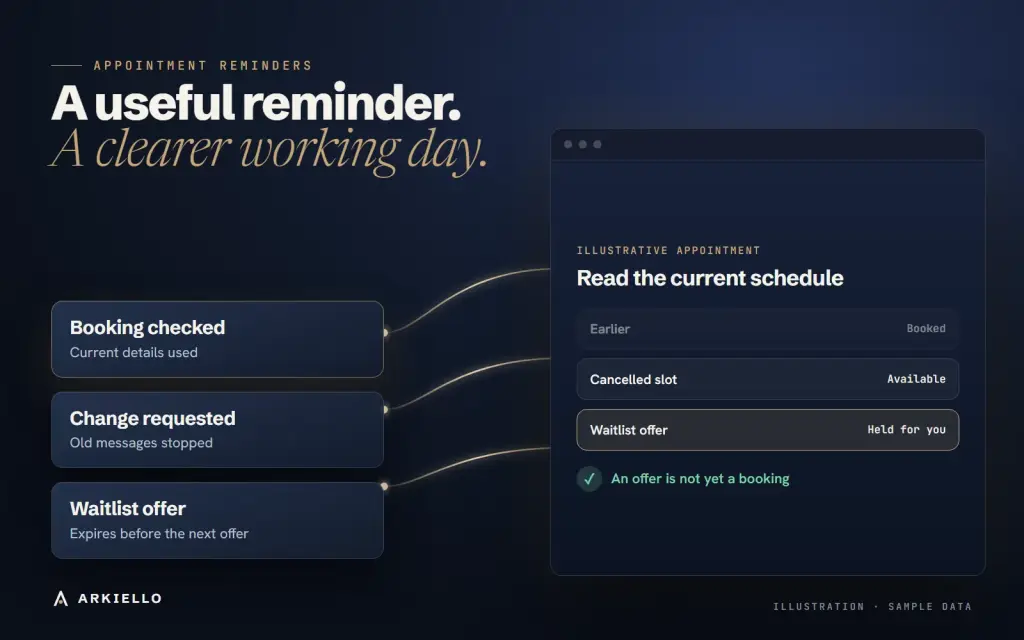
Picture a studio opening its calendar after a cancellation. Someone asked to come sooner, but the request is buried in a message thread. Meanwhile, a reminder still points to the cancelled appointment.
Without connected states, staff repeat the same checks and customers receive conflicting messages. A waiting list becomes another notebook to search rather than a dependable way to offer an opening.
A reminder workflow reads the current booking, stops messages after changes and gives customers a simple next step. A separate waitlist process offers an eligible slot with an expiry and confirms only after the booking system accepts it.
How it works
From booked appointment to a clear next action.
An illustrative reminder and waitlist flow. Timing, permissions and eligibility are agreed for your appointment types.
Read the current booking
Check time, location and appointment state.
Send useful information
Use approved preparation and change instructions.
Apply the change
Stop obsolete messages after a cancellation or move.
Offer a waitlist place
Recheck availability before confirming acceptance.
What we build
What we build.
Booking-state connections
Current appointments, changes and cancellations linked to reminder decisions.
Confirmation messages
Recognisable details and clear distinctions between receipt and confirmation.
Reminder timing
Schedules matched to preparation needs, local time and booking lead time.
Rescheduling routes
Links or requests that follow your approved change rules.
Controlled waitlists
Eligibility, offer order, expiry and final availability checks.
Monitoring and review
Alerts for failed sends, stale schedules and unresolved acceptance attempts.
Proof
Demonstrated workflows, with clear limits.
Our photography booking and payment flow is a labelled demonstration, not a client result. It shows a booked date, welcome messages and planned reminders. Zerbiz, our own booking product in beta, uses queued phone notifications and one-at-a-time expiring on-demand offers. That mechanism is relevant to waitlist design, but is not a claim that Zerbiz runs this exact appointment waitlist.
Booking demonstration
The sample starts from a paid retainer and includes approved welcome and reminder messages.
Timed offers in a product
The Zerbiz case study describes nearby freelancers offered urgent jobs one at a time with an acceptance window.
Event-driven reminders
Zerbiz uses scheduled gallery reminders and queued notifications within its own workflow.
Who it’s for
Built for businesses like yours.
- Studios and salons that need customers to recognise the appointment and change it correctly.
- Clinics and wellness teams that want minimal message content and reviewed contact routes.
- Consultants and instructors that serve customers across time zones or appointment types.
- Busy reception teams that need a controlled way to offer cancellations.
The process
From first call to launch.
1. Discovery
We map the current process with the people who run it, including exceptions, access and the point where a person must take over.
2. Plan and prototype
You review the proposed workflow, sample messages and acceptance checks before we connect live accounts.
3. Build and test
We build in a controlled setup and test ordinary requests, missing information, duplicated events and unavailable tools with your team.
4. Launch and support
We agree a rollout window across time zones, train the owner and document support, alerts and how to pause the workflow.
Get started
What to send us to get started.
A few lines are enough. No passwords or customer records, please.
- Your booking system and appointment types
- What customers must prepare before attending
- Your approved change, deposit and cancellation rules
- Contact preferences and current permission records
- How you want waitlist eligibility and offers handled
Our standards
What we commit to, and what we won’t do.
We commit to
- Agree the scope and approval boundaries before building
- Use business-owned accounts and limited access
- Test failure paths as well as the ordinary flow
- Document ownership, alerts and handover
We won’t
- Promise business results we have not measured
- Hide exceptions behind a successful-looking screen
- Make you dependent on undocumented personal accounts
Questions
Frequently asked.
Can you guarantee fewer no-shows?
No. We can design useful reminders and measure delivery, confirmations and attendance where records support it. Outcomes depend on the service and customer circumstances.
Can people reschedule from a reminder?
We can connect an approved change route where the booking system supports it. The scope explains whether a request is provisional or updates the booking directly.
Should we use SMS or email?
It depends on the purpose, preparation detail, customer preference and reviewed permissions. We choose the channels with you rather than assuming more messages are better.
Can we add a waitlist?
Yes, as a separately planned workflow. We define eligibility, order, expiry and the check that prevents two people accepting the same slot.
What about deposits?
Your business sets and reviews the terms. We can connect verified payment status where supported, but payment, booking and refund rules need separate approval.
Are reminder permissions the same as marketing permissions?
Do not assume they are interchangeable. Message purpose and local rules matter. This is not legal advice; review the proposed messages and channels for your audience.
Guides
Read before you decide.
Related
Often paired with this.
Start here
Show us the appointment that needs a better handover.
Send a redacted booking example, the reminder you use now and the change rules. We will map a useful first workflow.