A package change can reach the website before it reaches the brochure. A social post may still point to the previous download. The venue team then has to explain which version applies while answering an enquiry.
A simple update workflow gives each approved change one owner and a visible finish point. ARKIELLO’s event venue website maintenance service connects website care with this continuing information work. Based in Tagaytay, we work with clients locally and internationally.
Open one record for the change
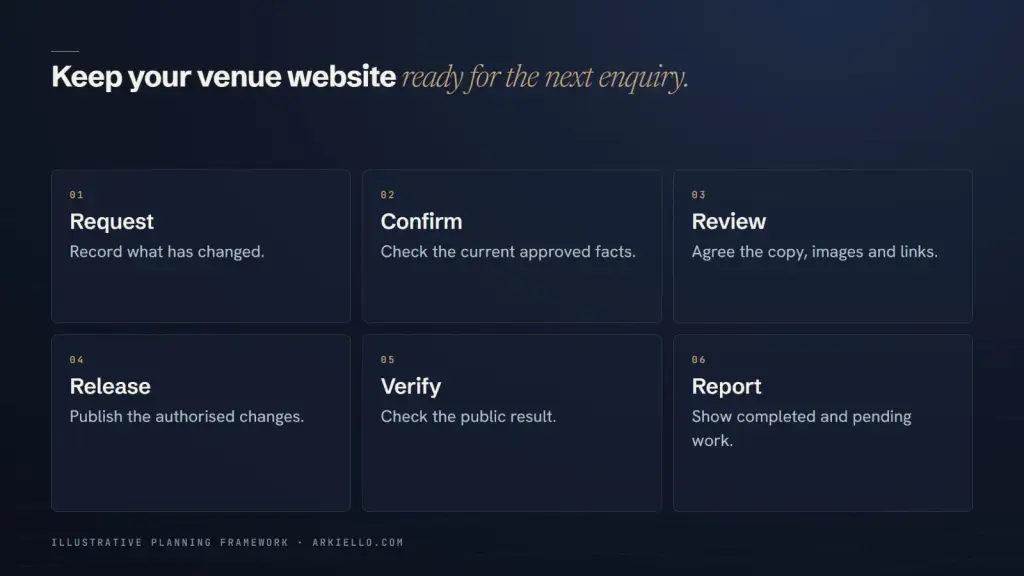
Begin with the difference the business has approved, rather than an instruction to refresh the packages. Record the current wording, replacement wording, affected arrangement, effective date and person authorised to approve it. Attach the approved source and identify any conditions that must appear beside the change.
For a hypothetical venue, an approved package might replace one inclusion from a stated date. The record should explain whether that applies to new enquiries, existing agreements or another confirmed group. The website editor should receive that decision from the venue, not infer it from a revised brochure.
List the places carrying that information
Find each public occurrence before editing. A package summary can appear on a space page, an event page, a downloadable file and a campaign landing page. The same file may be linked from email templates, social profiles or a printed QR code.
Keep a practical destination list:
- The website pages and downloads requiring a change.
- The approved filename or version label for the replacement file.
- The social and email items the venue wants coordinated.
- The owner responsible for each channel and its completion check.
- Any printed or third-party material that cannot be changed immediately.
For the substance and organisation of the permanent page, use the existing wedding venue package-page guide. This record follows the approved change through its destinations.
Agree the release order and unresolved items
Decide which changes need to become public together. If the page promises a revised inclusion but its download still describes the previous offer, publishing only the page leaves a contradiction. Prepare both for approval before the agreed release point.
Some channels have different owners. The website supplier may prepare the download while a venue manager controls social posts. Name the handoff and expected confirmation. If an external listing cannot be updated yet, record its owner and next action so the website work is not mistaken for completion across every channel.
Review the prepared versions as a set
Ask the approver to compare the actual page and downloadable document. A list of changed words alone will not reveal an old condition left in a caption or a button pointing to the previous file. Check the effective date, inclusion wording, exclusions and enquiry instruction together.
Use a clear version label in the working record. Avoid filenames such as final-new-final, which make later comparisons difficult. The team can retain its approved source files without putting internal review notes or customer information into public downloads.
Approval should identify the exact versions being accepted and who may release them. If a fact remains uncertain, return that point to the venue before treating the package as ready.
Check what a visitor can actually open
After the authorised release, open the public pages and follow their download links. Check the file that arrives, not only its link label. Review the relevant phone layout as well as a larger screen, particularly where long conditions or download buttons can become hard to use.
Where the venue has chosen to coordinate social or email destinations, ask their owners to confirm the public link and wording. A saved website edit does not establish that every other channel now agrees.
Record the checked addresses, version, date, reviewer and any remaining dependency. If an expired campaign is part of the change, use the separate expired offer page decision guide before removing its address or assigning a replacement.
Close the update with a useful next step
The completed record should let a colleague answer three questions: what changed, where it is public, and what still needs attention. Carry unresolved channel work into the next review with a named owner. Our venue website monthly report guide shows how to keep those dependencies visible alongside completed work.
Discuss your venue’s package update workflow with ARKIELLO. Share the website, the types of information that change and who approves each channel. We can define a manageable process and the website work needed to support it.